
Trending 10 Festive Saree Radiant Art Prompts for Women 2026
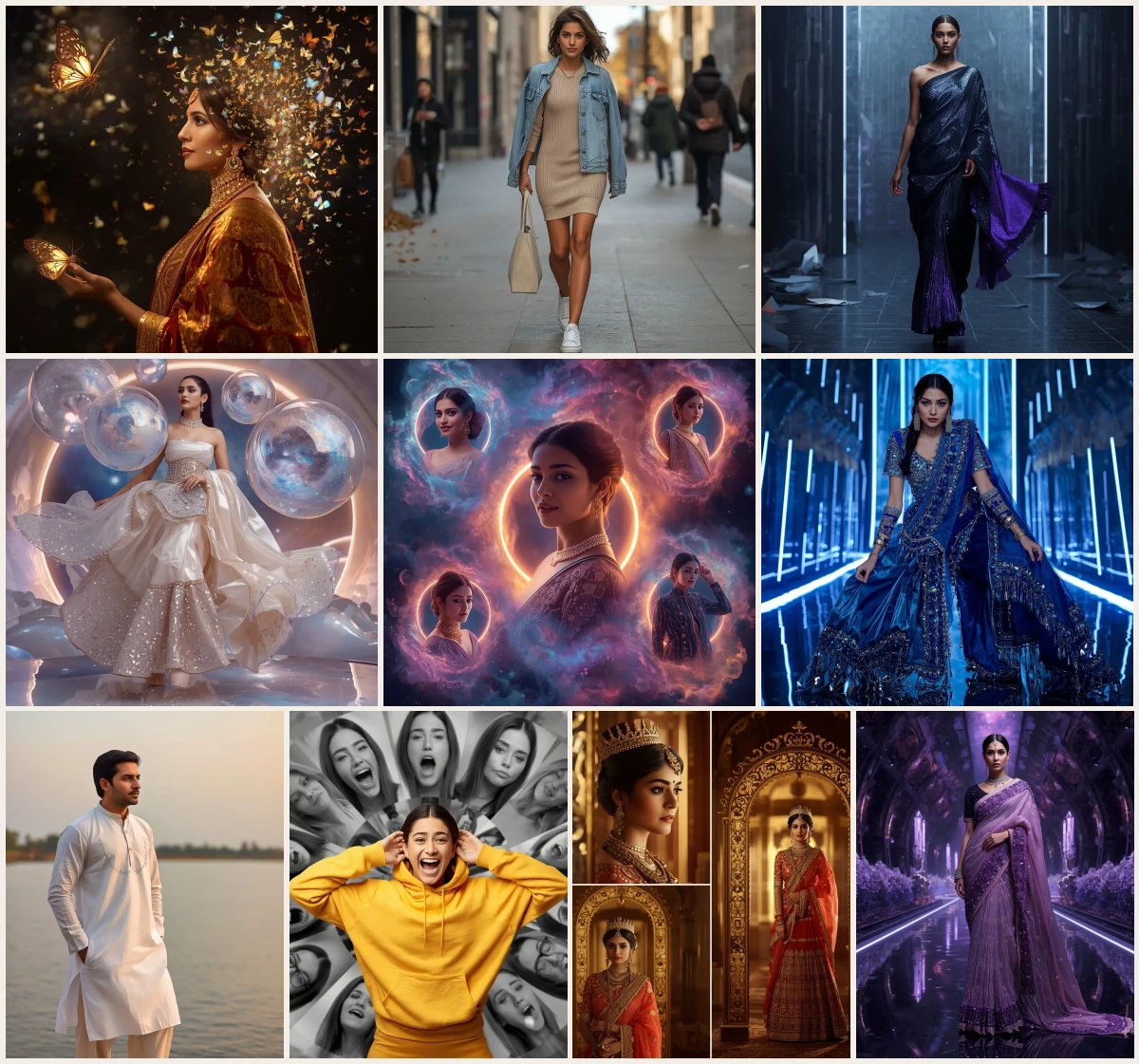
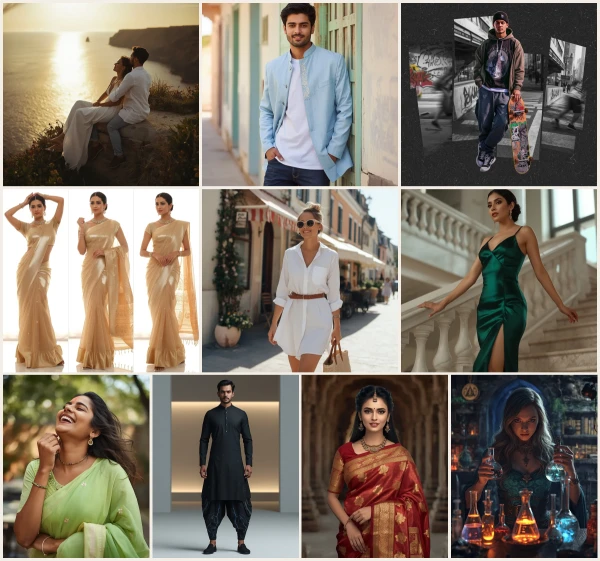
This Proxima Art pack — Trending 10 Festive Saree Radiant Art Prompts for Women 2026 — groups 10 related Creator-Approved Leonardo Women Street Fashion Neon City Easy Step-by-Step Editing Tips prompts so your weekly content series stays visually consistent without copy-paste chaos.
The Proxima Art editors grouped these prompts around one look — Leonardo AI Prompts for Women Street Fashion Neon City with Easy Step-by-Step Editing Tips.
These are creative starting points — not a promise that every tool will render the same face or fabric. Model versions change. Treat example images as style references. Always keep adult subjects (21+) for fashion or beauty portraits.
| Detail | Value |
|---|---|
| Prompts in this post | 10 |
| Category | Women's Prompts |
| Theme focus | Indian Beauty Saree |
| Best tools | Gemini, Midjourney, Leonardo AI, ChatGPT Image |
| Recommended aspect ratios | 9:16 (Reels/Stories), 4:5 (feed), 3:4 (editorial) |
| Difficulty | Intermediate |
| Estimated read / generate time | 10–20 minutes |
Keyword focus for this post: Creator-Approved Leonardo Women Street Fashion Neon City Easy Step-by-Step Editing Tips. That helps both humans and search engines understand why these 10 prompts sit together on Proxima Art.
| # | Prompt | Style | Best for | Lighting |
|---|---|---|---|---|
| 1 | Festive Saree Radiant Morphing Butterfly… | Menswear portrait | Leonardo / Midjourney | Warm festive glow |
| 2 | Chic Urban Fashion in a Sweater Dress and… | Urban street | Midjourney / Leonardo | Neon / city night |
| 3 | Quantum Shadow Silk Saree with Void Colla… | Menswear portrait | Leonardo / Midjourney | Warm festive glow |
| 4 | Giant Bubble Galaxy Saree with Floating D… | Menswear portrait | Leonardo / Midjourney | Magazine softbox |
| 5 | Abstract Cosmic Dust Frames for Indian Fe… | Menswear portrait | Leonardo / Midjourney | Warm festive glow |
| 6 | Sapphire Thunder Armor Saree with Neon Bl… | Luxury editorial | Midjourney | Magazine softbox |
| 7 | Confident Indian Man in Traditional White… | Outdoor lifestyle | Gemini / Leonardo | Golden hour |
| 8 | Vibrant Radial Collage: Dynamic Expressio… | Photoreal portrait | Gemini / Leonardo | Soft natural light |
| 9 | Golden Filigree Gate Collage: Indian Woma… | Cinematic | Gemini / Leonardo | Dramatic cinematic light |
| 10 | Obsidian Lavender Zenith Hyperqueen Saree… | Menswear portrait | Leonardo / Midjourney | Magazine softbox |
Site slot 24 uses a private prompt slice — none of these image examples are reused on the other sister sites in this network.
We organised these under the Women's Prompts theme on Proxima Art because readers asked for fewer orphan lines and more usable packs. Paste into Gemini, Midjourney, Leonardo or similar with only light edits for colour or city names.
Read the details table for tools and ratios, then jump to any prompt — each one works on its own.
Scroll the prompt list next — each card includes the example image, a short description, the full copy-ready prompt, suggested tools and a custom tip. Deeper sections, a how-to, pro tips, mistakes and FAQ follow.
📑 Table of contents
- 10 Festive Saree Radiant Art Women Prompts
- Festive Saree Radiant Morphing Butterfly Swarm Collage | Magic Avian Goddess Prompt
- Chic Urban Fashion in a Sweater Dress and Sneakers
- Quantum Shadow Silk Saree with Void Collapse Dimension
- Giant Bubble Galaxy Saree with Floating Dream Dome
- Abstract Cosmic Dust Frames for Indian Festive Glamour
- Sapphire Thunder Armor Saree with Neon Blade Palace
- Confident Indian Man in Traditional White Kurta by a Lake
- Vibrant Radial Collage: Dynamic Expressions, Playful Energy
- Golden Filigree Gate Collage: Indian Woman in Royal Outfit
- Obsidian Lavender Zenith Hyperqueen Saree with Eclipse Crystal Eternal Omniverse Prime
- How Proxima Art grouped these 10 Creator-Approved Leonardo Women Street Fashion Neon City Easy Step-by-Step Editing Tips prompts
- Export sizes for every platform
- Tool tips from Proxima Art for Gemini, Midjourney and Leonardo
- Common problems with Retro style prompt for gemini girl in saree edits — and quick fixes
- Why this Creator-Approved Leonardo Women Street Fashion Neon City Easy Step-by-Step Editing Tips pack is exclusive to Proxima Art
- Colour palettes that work with this set
- Quality checklist before you publish (Proxima Art)
- Styling notes for Indian Beauty Saree on Proxima Art
- Practical usage checklist
- Small edits, big improvements
- Mistakes we see often
- Questions before you start
- Final thoughts
10 Festive Saree Radiant Art Women Prompts
 #1
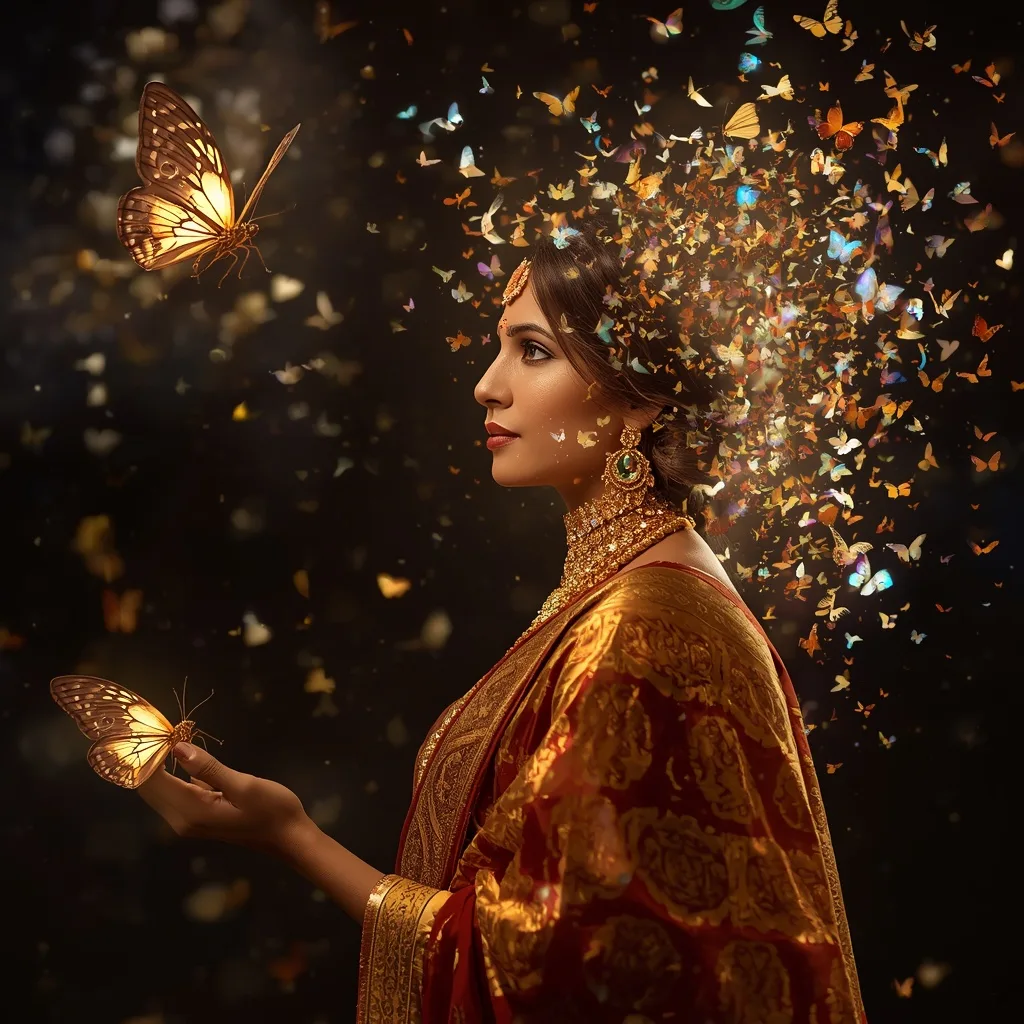
Festive Saree Radiant Morphing Butterfly Swarm Collage | Magic Avian Goddess Prompt
Next in this Creator-Approved Leonardo Women Street Fashion Neon City Easy Step-by-Step Editing Tips set is “Festive Saree Radiant Morphing Butterfly Swarm Collage | Magic Avian Goddess Prompt” (prompt 1/10). It reads as Menswear portrait. Pair it with Warm festive glow and avoid stacking three different camera lenses in one line. Try Leonardo / Midjourney first. Lock 9:16 for Reels/Stories or 4:5 for feed carousels before you upscale. If hands warp, crop tighter or simplify jewellery; do not keep regenerating the same overloaded line forever. Published exclusively on Proxima Art.
A highly advanced visual collage where the heavy zari pallu of an Indian woman's festive saree magically disperses into a massive flock of glowing, iridescent morphing butterflies. The composition captures a glowing close-up with a tiny light-butterfly resting on her kundan jewelry, a dynamic side profile capturing the exact moment of fabric-to-butterfly transformation, and a full-body stance engulfed in a swirling vortex of glowing avian energy. Studio strobe lighting mixed with ethereal bioluminescence, 85mm lens, HDR, photorealistic 8K, trending magical dispersion aesthetic.
 #2
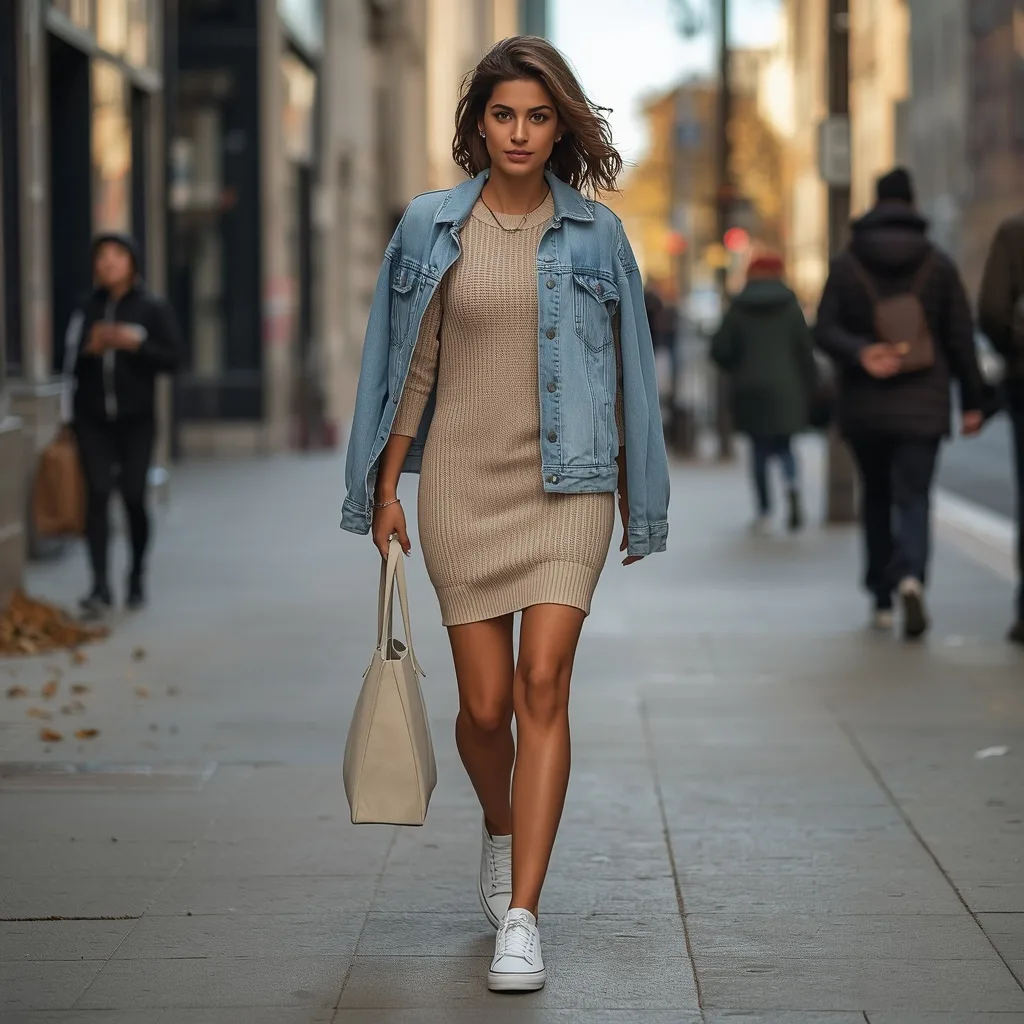
Chic Urban Fashion in a Sweater Dress and Sneakers
Use prompt 2 when you specifically want chic urban fashion in a sweater dress and sneakers. The look leans Urban street with Neon / city night, which is why it works well when you want a scroll-stopping feed image rather than a flat stock portrait. Midjourney / Leonardo usually respects wardrobe detail here. Generate two baselines before you rewrite a single adjective. Save the seed/style that wins so the rest of your Creator-Approved Leonardo Women Street Fashion Neon City Easy Step-by-Step Editing Tips series stays visually consistent. Published exclusively on Proxima Art.
A stylish woman walks down a bustling city street on a cool autumn day, showcasing urban chic. She wears a comfortable yet form-fitting beige knit sweater dress, paired with trendy white sneakers and an oversized denim jacket. Her hair is loose and slightly wind-swept, and she carries a canvas tote bag. The background features blurred city buildings, falling leaves, and busy pedestrians. Lighting is soft, natural autumn daylight, creating warm tones and a cozy yet fashionable vibe. Ultra realistic rendering, 50mm lens, street style photography, RAW photo, HDR, 4k resolution, autumnal urban fashion.
 #3
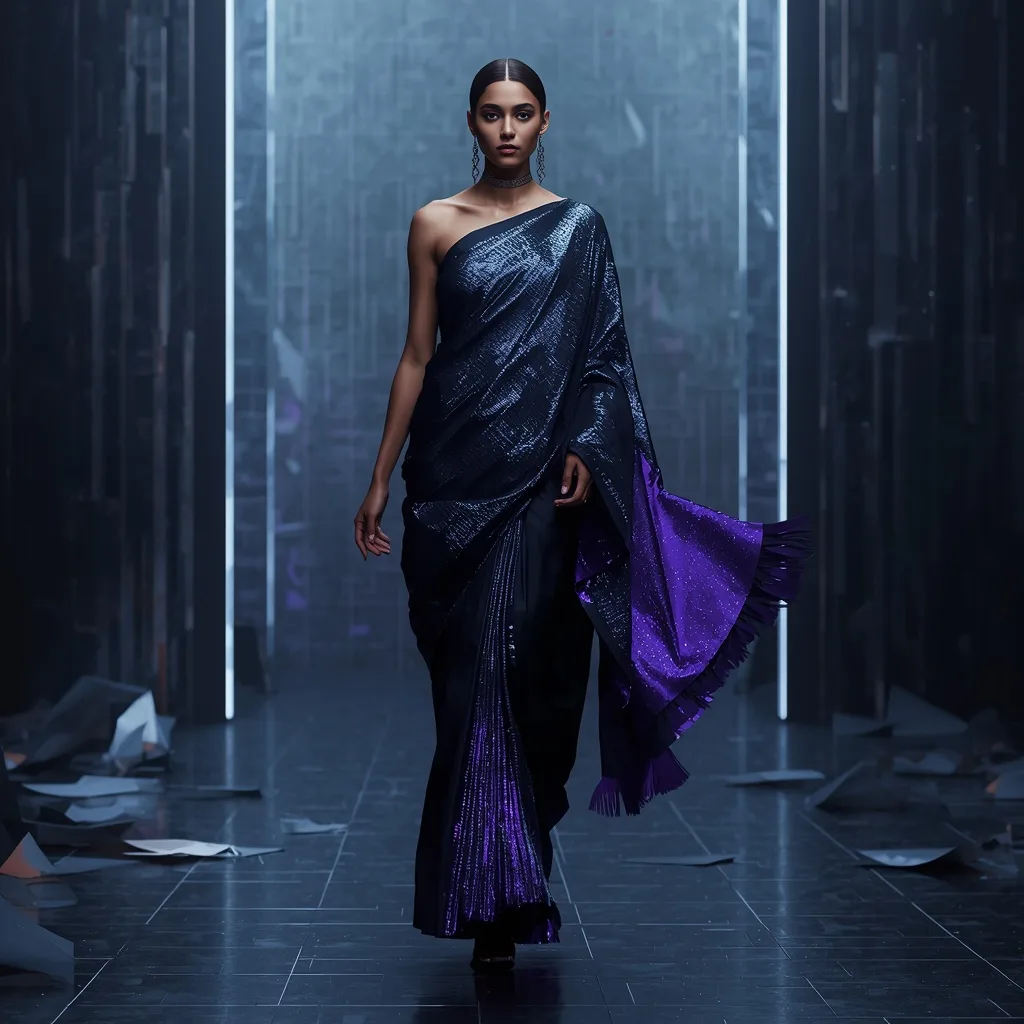
Quantum Shadow Silk Saree with Void Collapse Dimension
This is prompt 3 in the pack — centred on Quantum Shadow Silk Saree with Void Collapse Dimension. It reads as Menswear portrait. Pair it with Warm festive glow and avoid stacking three different camera lenses in one line. Best starting tools: Leonardo / Midjourney. Keep aspect ratio 9:16 or 4:5 for Instagram-style crops, and 3:4 for editorial posters. Copy it as-is first, then personalise city names, garment colour or jewellery on the second run only. Published exclusively on Proxima Art.
A hyper-realistic couture portrait of a model wearing a quantum shadow silk saree in black chrome, cyan glow, and violet with collapsing data silk textures, floating digital shards, and futuristic engineered pleating. The saree is ultra advanced and abstract. She poses in a suspended runway motion. Background includes a void collapse dimension with broken neon grids and cinematic sci-fi fog. Ultra realistic fashion photography, 8k, absolutely no text in the image.
 #4
Giant Bubble Galaxy Saree with Floating Dream Dome
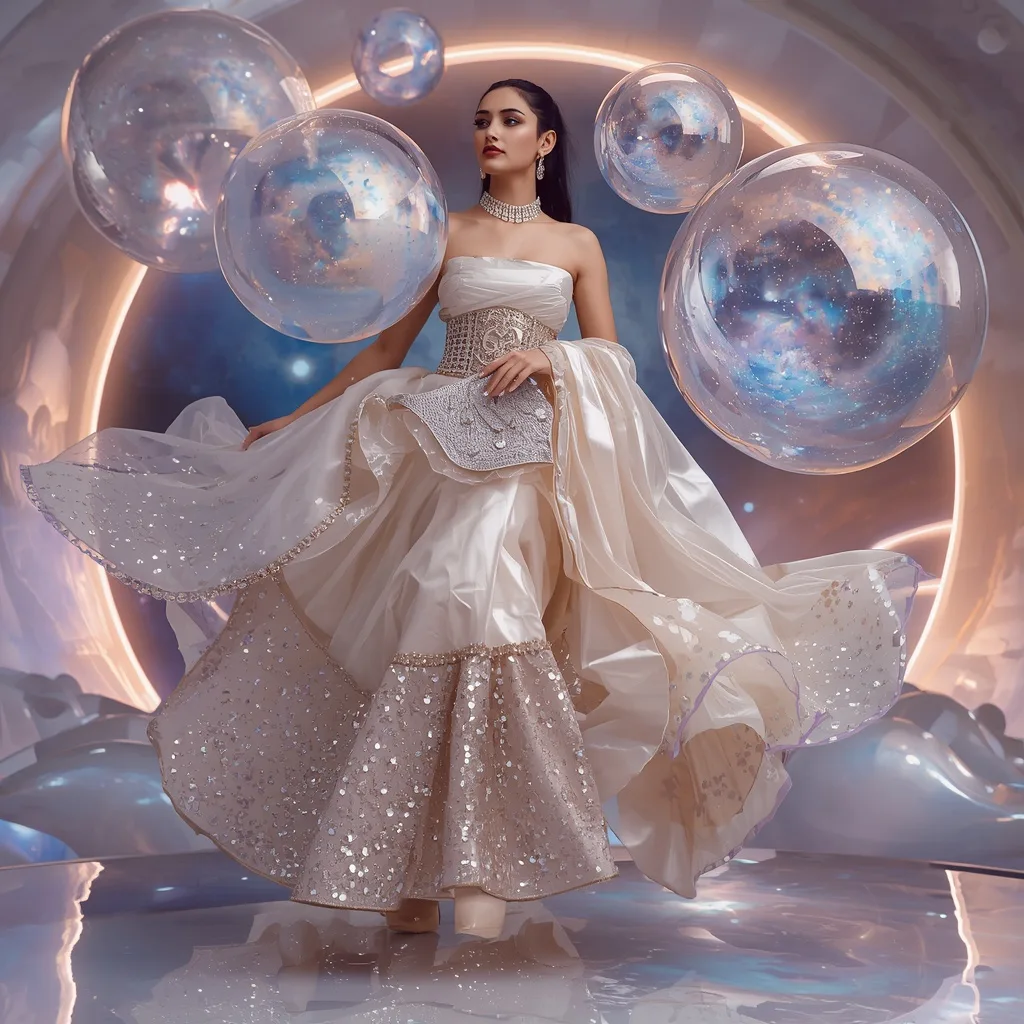
Prompt 4 of 10 focuses on Giant Bubble Galaxy Saree with Floating Dream Dome. The look leans Menswear portrait with Magazine softbox, which is why it works well when you want a scroll-stopping feed image rather than a flat stock portrait. Try Leonardo / Midjourney first. Lock 9:16 for Reels/Stories or 4:5 for feed carousels before you upscale. Before you paste it, decide adult age range (21+), outfit colour and background depth — those three swaps change the result more than adding ten extra adjectives. Published exclusively on Proxima Art.
A breathtaking Indian designer saree inspired by giant transparent floating galaxies orbiting around the body, crafted from holographic pearl textures layered over silver reflective fabrics, glossy ivory sequins, and gemstone embroidery with oversized cosmic-wave sculptural drapes. The saree includes metallic corset detailing and layered couture movement. The model poses gracefully in a dreamy floating editorial stance. Background contains a floating dream dome with curved glowing architecture and soft cinematic reflections. Hyper-realistic editorial fashion photography, ultra-premium couture craftsmanship, 8k, absolutely no text in the image.
 #5
Abstract Cosmic Dust Frames for Indian Festive Glamour
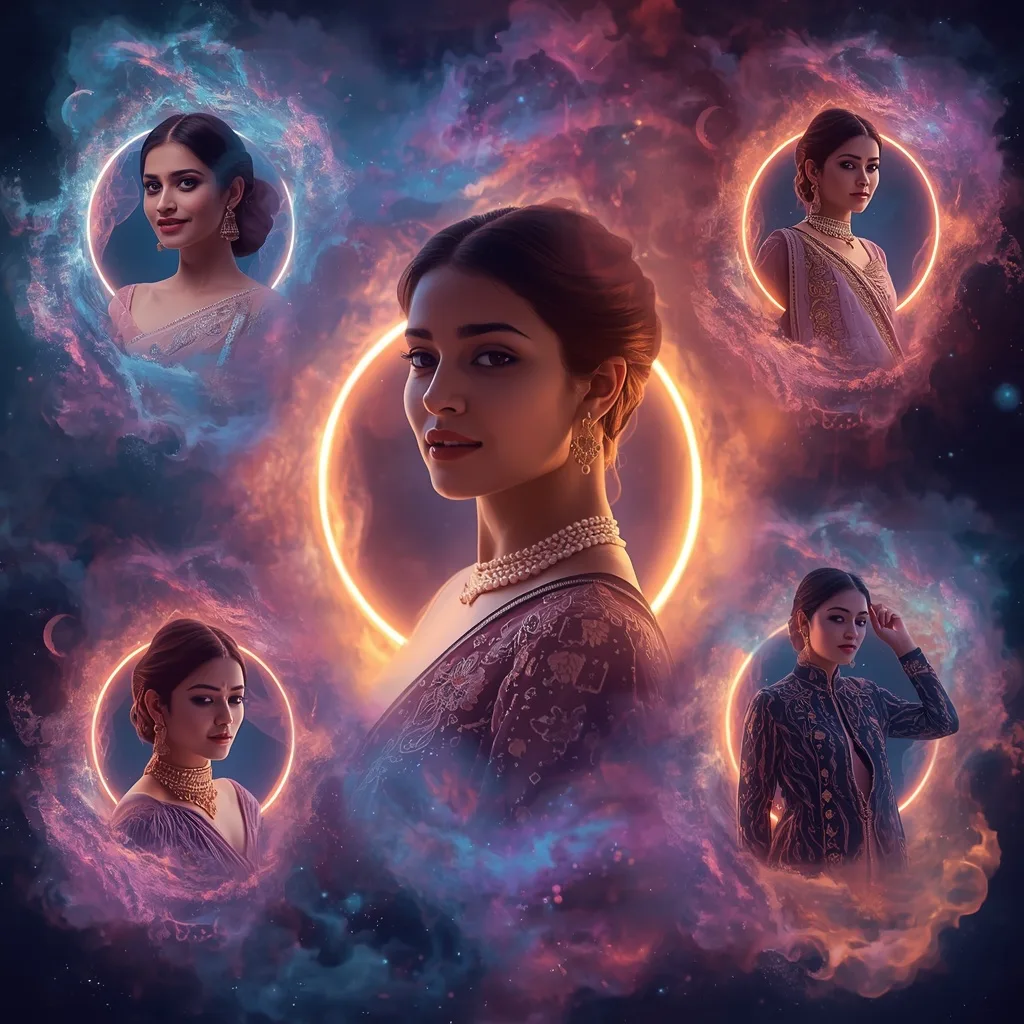
Next in this Creator-Approved Leonardo Women Street Fashion Neon City Easy Step-by-Step Editing Tips set is “Abstract Cosmic Dust Frames for Indian Festive Glamour” (prompt 5/10). It reads as Menswear portrait. Pair it with Warm festive glow and avoid stacking three different camera lenses in one line. Leonardo / Midjourney usually respects wardrobe detail here. Generate two baselines before you rewrite a single adjective. If hands warp, crop tighter or simplify jewellery; do not keep regenerating the same overloaded line forever. Published exclusively on Proxima Art.
An abstract cosmic dust collage featuring an Indian woman in enchanting festive outfits, where each frame is composed of swirling, luminous cosmic dust and nebulae, forming abstract patterns. These frames glow with vibrant, shifting colors, creating an otherworldly deep-space environment. Each segment highlights a different ethereal dress: a shimmering silk saree, a pearl-embellished lehenga, an iridescent Indo-western gown, a sequined sharara suit, and a jacket-style ensemble with lunar motifs. The cosmic dust frames create organic, textured structures with luminous edges and profound depth. Poses include a dreamy close-up with soft glowing light on her face, a mystical side profile, and a graceful full-body pose amidst the glowing dust. A vibrant, deep-space pastel palette blends harmoniously. Lighting is cinematic, with soft internal glow, subtle reflections, and deep, luminous shadows. Background is a blurred, dark, glowing cosmos. Ultra realistic rendering, shallow depth of field, 85mm lens, HDR, 4k resolution, deep space fantasy.
 #6
Sapphire Thunder Armor Saree with Neon Blade Palace
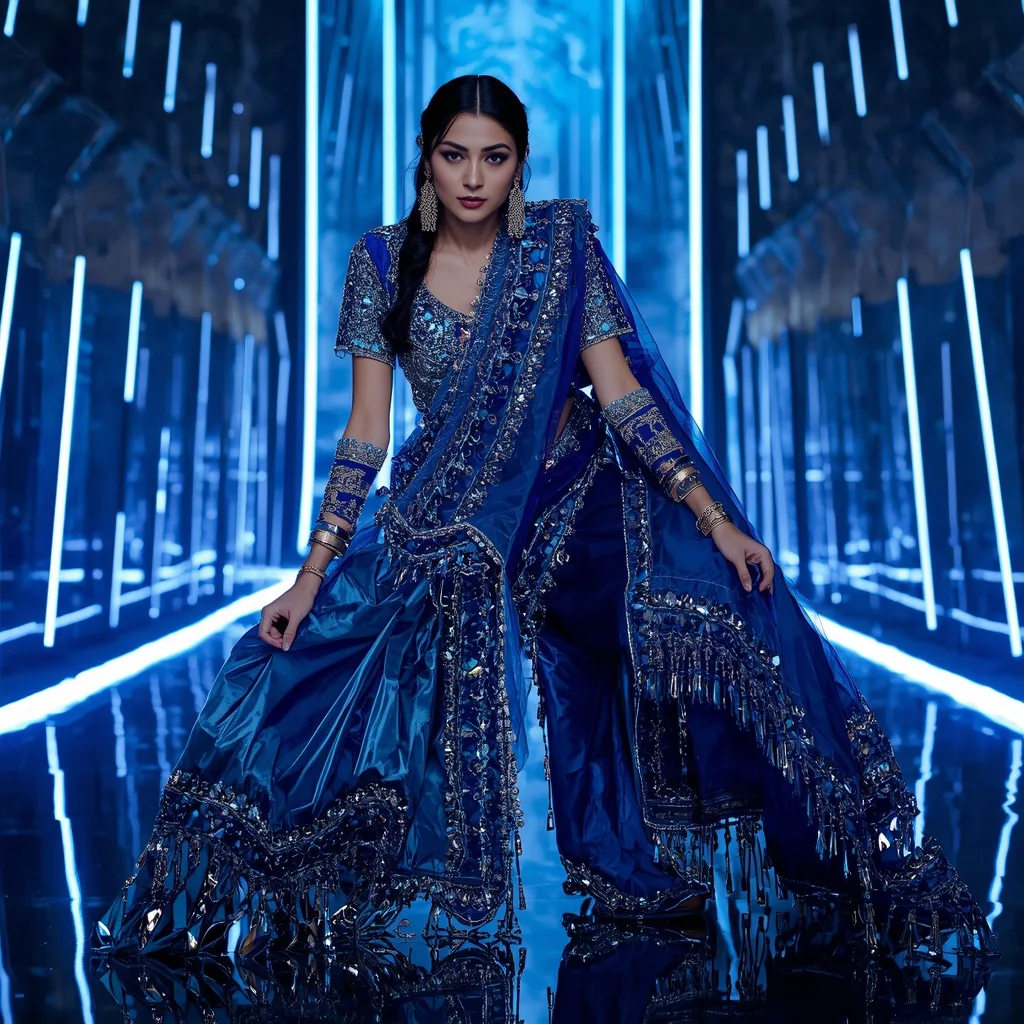
Use prompt 6 when you specifically want sapphire thunder armor saree with neon blade palace. The look leans Luxury editorial with Magazine softbox, which is why it works well when you want a scroll-stopping feed image rather than a flat stock portrait. Best starting tools: Midjourney. Keep aspect ratio 9:16 or 4:5 for Instagram-style crops, and 3:4 for editorial posters. Save the seed/style that wins so the rest of your Creator-Approved Leonardo Women Street Fashion Neon City Easy Step-by-Step Editing Tips series stays visually consistent. Published exclusively on Proxima Art.
A stunning editorial portrait of a model wearing a sapphire blue and metallic silver saree featuring liquid crystal sequins, reflective armor embroidery, layered mirror tassels, and oversized couture draping. The saree feels futuristic, bold, and richly festive. She strikes a powerful runway crouching pose with intense motion. Background features a neon blade palace with glowing sharp light strips and reflective futuristic architecture in blue, cyan, and silver hues. Hyper-realistic luxury fashion photography, cinematic shadows, 8k realism, absolutely no text in the image.
 #7
Confident Indian Man in Traditional White Kurta by a Lake
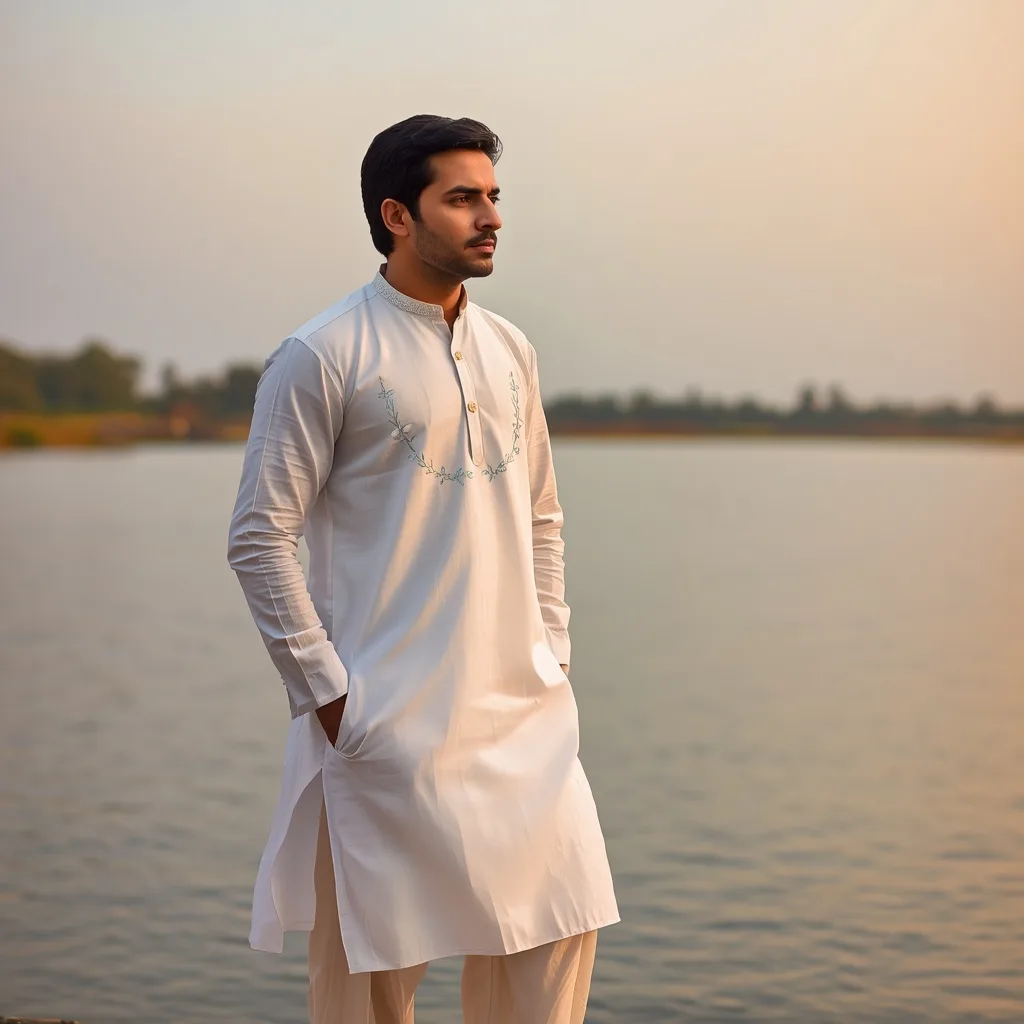
This is prompt 7 in the pack — centred on Confident Indian Man in Traditional White Kurta by a Lake. It reads as Outdoor lifestyle. Pair it with Golden hour and avoid stacking three different camera lenses in one line. Try Gemini / Leonardo first. Lock 9:16 for Reels/Stories or 4:5 for feed carousels before you upscale. Copy it as-is first, then personalise city names, garment colour or jewellery on the second run only. Published exclusively on Proxima Art.
A confident Indian man, in his thirties, captured in a full-body relaxed pose, standing by the tranquil edge of a lake at sunset. He wears a traditional white cotton kurta with subtle, pastel blue embroidery, and cream churidar pants. His hands are casually in his pockets, and his gaze is directed towards the serene lake, exuding a calm yet powerful presence. His well-groomed dark hair and light stubble add to his mature charm. The background is a softly blurred lake scene with gentle ripples and a breathtaking pastel gradient sunset sky. Soft, golden hour lighting illuminates his profile and the serene landscape, creating an ultra-realistic, peaceful, and highly shareable lifestyle image.
 #8
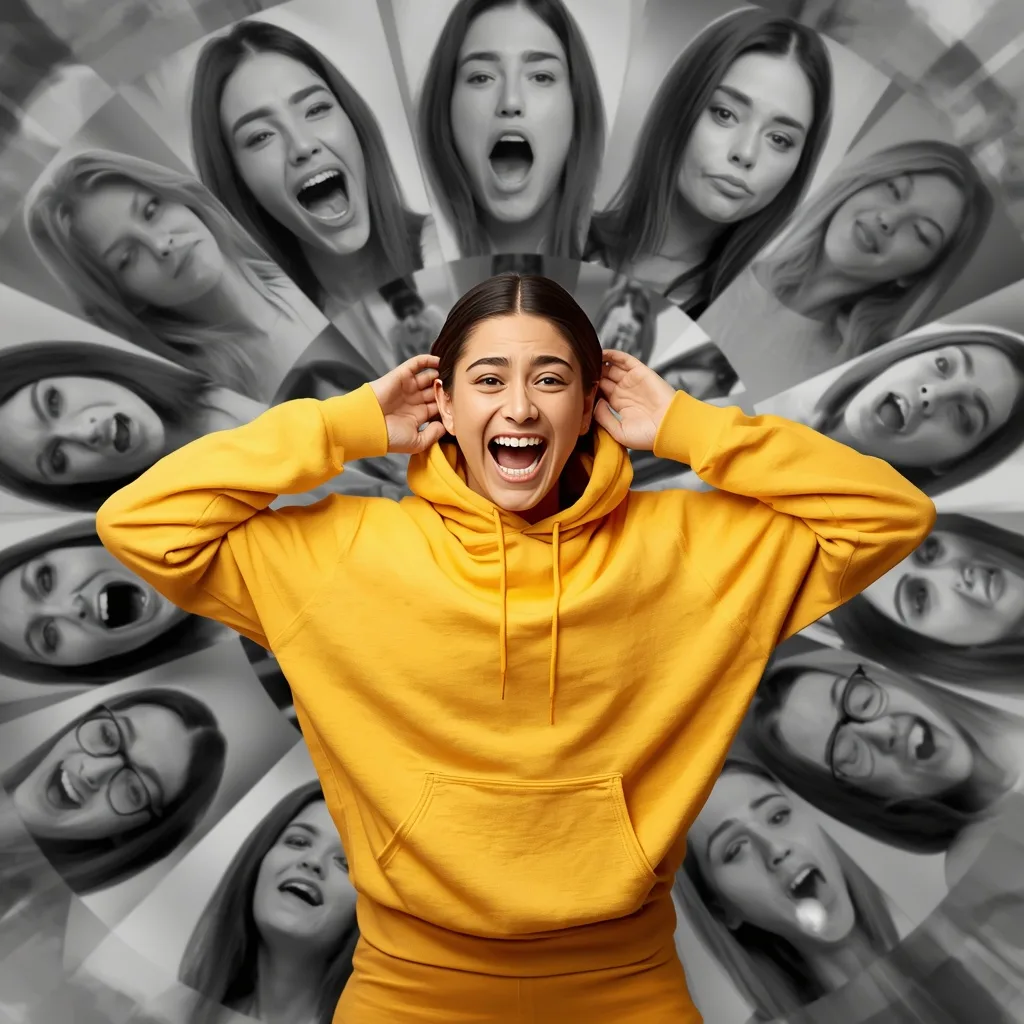
Vibrant Radial Collage: Dynamic Expressions, Playful Energy
Prompt 8 of 10 focuses on Vibrant Radial Collage: Dynamic Expressions, Playful Energy. The look leans Photoreal portrait with Soft natural light, which is why it works well when you want a scroll-stopping feed image rather than a flat stock portrait. Gemini / Leonardo usually respects wardrobe detail here. Generate two baselines before you rewrite a single adjective. Before you paste it, decide adult age range (21+), outfit colour and background depth — those three swaps change the result more than adding ten extra adjectives. Published exclusively on Proxima Art.
Create a stylish portrait composition using the reference image of the person as the main subject. Place the subject in the center, full-body or mid-length, with an energetic pose and a playful, wide smile. Design a circular collage background behind the subject, divided into multiple radial slices. In each slice, include different black-and-white portraits of the same person (from the reference image) with varied expressions, angles, and poses (laughing, winking, curious glance, playful pout, excited look). Keep the center subject in full vibrant color, dressed in a bright yellow hoodie, while all background images remain monochrome (black and white) for a lively contrast. Add soft depth-of-field blur in the background and maintain sharp focus on the main subject. Use bright, dynamic lighting, high detail, and a modern, bold photo-editing style. Ensure clean edges, smooth skin tones, and a professional social media-ready aesthetic. The overall composition should feel creative, symmetrical, and visually striking, conveying youthful exuberance. Style keywords: ultra-detailed, DSLR quality, 4K, sharp focus, studio lighting, portrait photography, modern graphic design, radial collage layout, energetic, vibrant.
 #9
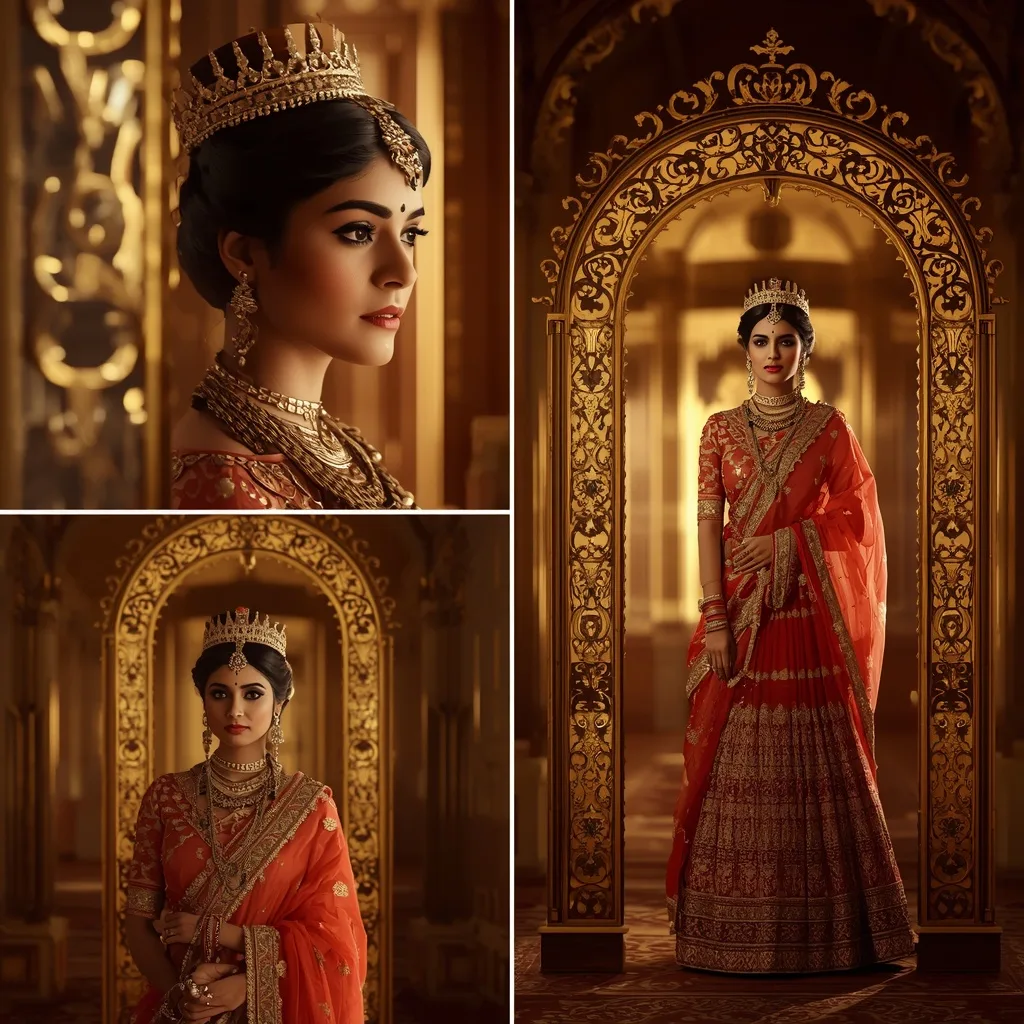
Golden Filigree Gate Collage: Indian Woman in Royal Outfit
Next in this Creator-Approved Leonardo Women Street Fashion Neon City Easy Step-by-Step Editing Tips set is “Golden Filigree Gate Collage: Indian Woman in Royal Outfit” (prompt 9/10). It reads as Cinematic. Pair it with Dramatic cinematic light and avoid stacking three different camera lenses in one line. Best starting tools: Gemini / Leonardo. Keep aspect ratio 9:16 or 4:5 for Instagram-style crops, and 3:4 for editorial posters. If hands warp, crop tighter or simplify jewellery; do not keep regenerating the same overloaded line forever. Published exclusively on Proxima Art.
A golden filigree gate collage featuring an Indian woman in a royal, opulent outfit, elegantly framed by intricate, shimmering golden filigree gates. Each frame captures her in a majestic pose: a regal close-up, a dignified side profile, and an elegant full-body stance, with the gates creating grand, luxurious frames. The filigree gleams with rich gold, casting opulent reflections. Lighting is warm and grand, with glowing highlights and deep, velvety shadows. Background is a blurred, lavish palace interior. Ultra realistic rendering, cinematic lighting, shallow depth of field, 85mm lens, HDR, 4k resolution, imperial opulence.
 #10
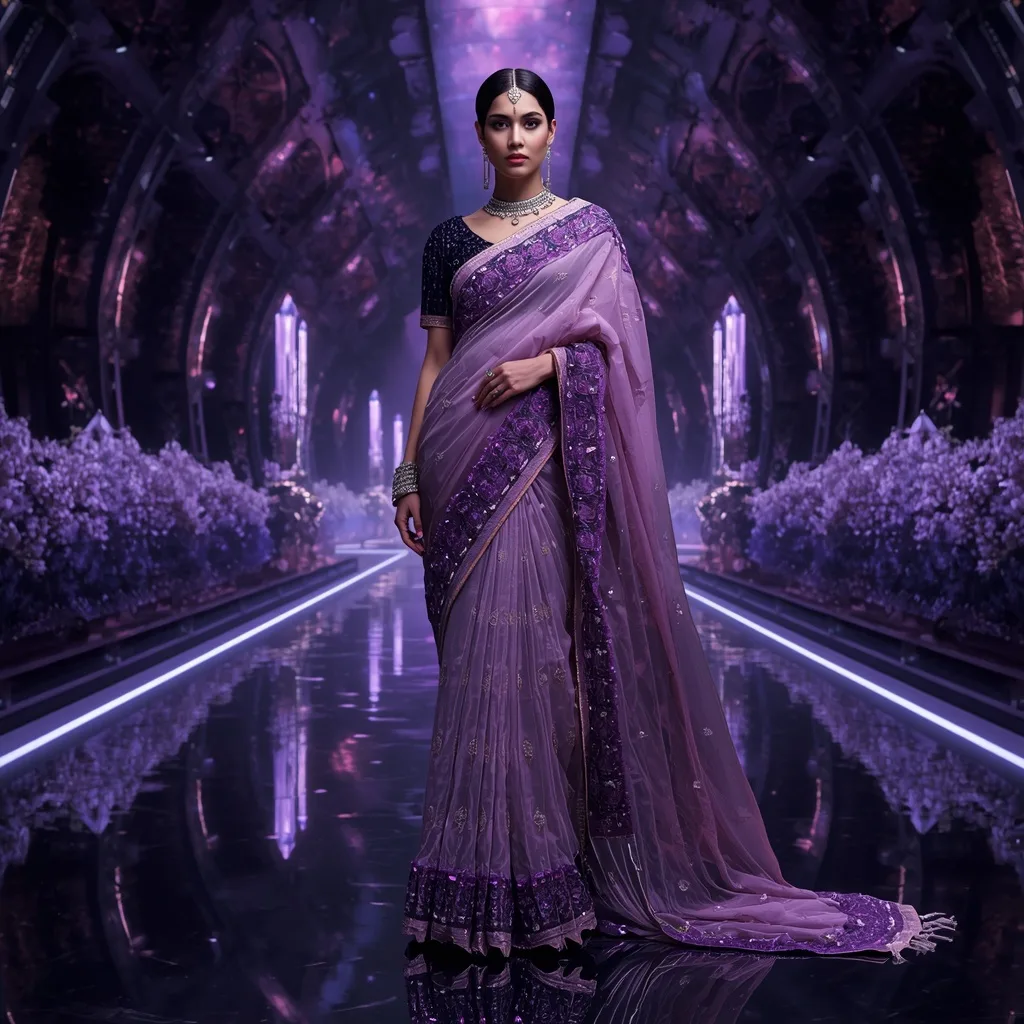
Obsidian Lavender Zenith Hyperqueen Saree with Eclipse Crystal Eternal Omniverse Prime
Use prompt 10 when you specifically want obsidian lavender zenith hyperqueen saree with eclipse crystal eternal omniverse prime. The look leans Menswear portrait with Magazine softbox, which is why it works well when you want a scroll-stopping feed image rather than a flat stock portrait. Try Leonardo / Midjourney first. Lock 9:16 for Reels/Stories or 4:5 for feed carousels before you upscale. Save the seed/style that wins so the rest of your Creator-Approved Leonardo Women Street Fashion Neon City Easy Step-by-Step Editing Tips series stays visually consistent. Published exclusively on Proxima Art.
A grand festive designer saree in obsidian lavender zenith hyperqueen sequins of black chrome, violet blush, silver mercury, cosmic lavender, moonlit crystal, solar pearl, infinity lavender, aurora lilac, diamond lavender, sovereign lavender, imperial lavender, regal lavender, nebula lavender, eclipse lavender, and zenith lavender with hyperqueen drape architecture, prism-layered pallu, gemstone couture lightning, and metallic statement blouse precision. She is captured in a mysterious zenith hyperqueen strike pose with sweeping runway power. Background is an eclipse crystal eternal omniverse prime with dark futuristic curves, glowing prism pathways, mirrored surfaces, floating towers, galaxies, and ambient strip lighting. Cinematic editorial fashion portrait, 8k, no text.
How Proxima Art grouped these 10 Creator-Approved Leonardo Women Street Fashion Neon City Easy Step-by-Step Editing Tips prompts
Instead of dumping unrelated ideas onto one URL, Proxima Art keeps this pack inside the Women's Prompts lane with a Indian Beauty Saree emphasis. That helps search engines understand the page topic and helps you stay consistent when you are building a content series or a client moodboard.
Each prompt is written as a full scene direction: subject, wardrobe, expression, lighting, lens language and finishing notes. If a line feels long, that is intentional — short prompts often collapse into generic beauty filters.
What to change first
- Outfit colour and fabric (saree, denim, blazer, lehenga, sherwani).
- Location (studio seamless, monsoon street, palace courtyard, glass office).
- Time of day (golden hour vs soft overcast vs neon night).
- Camera notes (85mm portrait, 35mm environmental, slight low angle).
Export sizes for every platform
Generated a great red saree prompt for chatgpt frame? Export it right:
| Platform | Size | Tip |
|---|---|---|
| Instagram Reel / Story | 1080×1920 (9:16) | Keep subject centred; leave top/bottom space |
| YouTube thumbnail | 1280×720 (16:9) | Bold contrast, room for text |
| WhatsApp DP | 640×640 (1:1) | Tight crop, simple background |
| Instagram post | 1080×1350 (4:5) | Lead with your strongest face close-up |
Tool tips from Proxima Art for Gemini, Midjourney and Leonardo
Proxima Art recommends starting in the tool you already know. Gemini is strong for quick photoreal iterations; Midjourney often nails fashion editorial lighting; Leonardo is handy when you want repeatable community styles.
- Generate a baseline with the prompt unchanged.
- Change only one variable per reroll (outfit OR background OR light).
- Upscale the winner; do not upscale every failed frame.
- Avoid stacking conflicting styles unless that mashup is the point.
If faces warp, add a clearer adult age range (21–28), simplify jewellery, and reduce the number of people in frame.
Common problems with Retro style prompt for gemini girl in saree edits — and quick fixes
Most bad results come from a few repeat mistakes. Here is the cheat-sheet we use while testing prompts like Festive Saree Radiant Morphing Butterfly Swarm Collage | Magic Avian Goddess Prompt.
| Problem | Quick fix |
|---|---|
| Extra fingers or broken hands | Crop tighter or ask for “hands relaxed, out of frame” |
| Plastic, over-smooth skin | Add “natural skin texture, visible pores, no beauty filter” |
| Lighting direction is confusing | Pick one: golden hour side light OR soft studio key light |
| Outfit fabric looks cheap | Specify fabric: silk, chiffon, linen, velvet + one detail |
| Background steals attention | Add “shallow depth of field, soft bokeh background” |
Why this Creator-Approved Leonardo Women Street Fashion Neon City Easy Step-by-Step Editing Tips pack is exclusive to Proxima Art
Every example image URL on Proxima Art comes from a private prompt slice that is not shared with the other sites in this install set. That means titles, tags, FAQs and body copy on this URL stay distinct — better for indexing and for readers who follow multiple prompt blogs.
If you mirror content across domains, search engines notice. Proxima Art avoids that by design.
Colour palettes that work with this set
Adding a palette line keeps a series consistent. Try these with Abstract Cosmic Dust Frames for Indian Festive Glamour:
| Palette | Colours | Best for |
|---|---|---|
| Earthy | olive, rust, beige | Festive posts |
| Pastel | blush pink, mint, cream | Festive posts |
| Noir | black, silver, smoke grey | Instagram feed |
| Sunset | amber, coral, peach | Instagram feed |
| Classic | white, black, red accent | DP / profile |
Quality checklist before you publish (Proxima Art)
Creators lose hours fixing the same issues. Run this 60-second checklist:
- Hands and jewellery look intentional (or crop tighter).
- Text/watermarks are not inventing fake logos.
- Skin has texture; it is not plastic.
- Light direction matches the shadows on the face and ground.
- Background does not steal attention from the subject.
- Subjects read as adults when the scene is fashion or beauty.
Site series index 24 keeps this checklist wording unique for SEO freshness.
Styling notes for Indian Beauty Saree on Proxima Art
Because this Proxima Art collection leans indian beauty saree, pay attention to colour harmony. Pick one dominant colour family for garments and let the background sit one step quieter.
For social uploads, export a vertical master and crop a square cousin from the same render rather than regenerating from scratch.
When you publish a carousel, lead with the strongest of these 10 looks, then alternate close-ups and full-body frames.
🧰 Practical usage checklist
- Shortlist two prompts from this 10-prompt set before opening any tool.
- Copy the complete prompt — not only the title — into your image tool.
- Upload a clear, front-facing photo if you want your own face in the result.
- Match the ratio to where you will post — Reels, feed or WhatsApp status.
- Run the prompt a few times; choose the render with clean hands and eyes.
- Change one detail (colour, place, light) and regenerate to personalise it.
- Upscale your favourite and post it with related #tags from this page — ideal for Leonardo AI Prompts for Women Street Fashion Neon City with Easy Step-by-Step Editing Tips.
🌈 Small edits, big improvements
- For this Leonardo AI Prompts for Women Street Fashion Neon City with Easy Step-by-Step Editing Tips set: name a film stock (Kodak Portra 400, Fuji Pro) for warm, analog skin tones.
- Use “candid, mid-laugh” or “looking away” when poses feel stiff.
- Add “no text, no watermark” to stop the model inventing signage.
- Re-use the seed of your best Leonardo AI Prompts for Women Street Fashion Neon City with Easy Step-by-Step Editing Tips render and change only the background.
- Try the same prompt in Bing Image Creator and ChatGPT Image; pick whichever renders jewellery more cleanly.
- Save your favourite variant of “Festive Saree Radiant Morphing Butterfly Swarm Collage | Magic Avian Goddess Prompt” as a personal template for future posts.
🔻 Mistakes we see often
- Letting jewellery clutter the frame. Pick one statement piece and keep the rest simple. This matters a lot for leonardo ai prompts for women street fashion neon city with easy step-by-step editing tips.
- Using a blurry or dark reference selfie. Upload a sharp, evenly lit photo for better likeness.
- Stacking “perfect skin” words until faces look plastic. Ask for natural texture and remove extra beauty adjectives.
- Describing two people with one outfit line. Write separate clothing details for each person.
- Forgetting the background entirely. Name a setting so the model does not invent clutter.
🔎 Questions before you start
How is this page different from other prompt lists?
Each of the 10 prompts here is exclusive to Proxima Art, with its own example image and notes on Leonardo AI Prompts for Women Street Fashion Neon City with Easy Step-by-Step Editing Tips. This post: Creator-Approved 10 Leonardo AI Prompts for Women Street Fashion Neon City with Easy Step-.
Are these Leonardo AI Prompts for Women Street Fashion Neon City with Easy Step-by-Step Editing Tips prompts free to copy?
All 10 prompts on this Proxima Art page are free to copy. Check the terms of the AI tool you use before commercial work.
How many images should I generate per prompt?
Two to four is the sweet spot. Pick the best, then tweak one detail for a second round.
Can I post these images on Instagram?
Yes, for personal posts. Tag them with the related hashtags above and mention the tool you used if you like.
Can I change the outfit colour or location?
Absolutely — edit the colour or place words in “Quantum Shadow Silk Saree with Void Collapse Dimension” and regenerate. Change one detail at a time.
What if the face gets distorted?
Use a sharper reference, crop to half-body and add “symmetrical face, natural eyes”.
Final thoughts
You now have 10 ready-to-copy Creator-Approved Leonardo Women Street Fashion Neon City Easy Step-by-Step Editing Tips prompts from Proxima Art with notes, comparison tables and practical tool tips. Start with one frame, iterate honestly, and keep the versions that still look natural under zoom. Bookmark this Proxima Art collection when you need a fresh series without starting from a blank chat box. When you are ready to host images on your own server, use Admin → Thumb Gen to download remote examples and rebuild collage thumbnails automatically.
Related hashtags
Related prompt collections
Best 10 Liquid Gold Flow Heavy Indian Gemini Prompts for Girls 2026
Need a client moodboard by tonight? Proxima Art's Signature 10 AI Photo Prompts for Women Street Fashion Neon City — Neon City Lights & Bold Portrait…
10 prompts
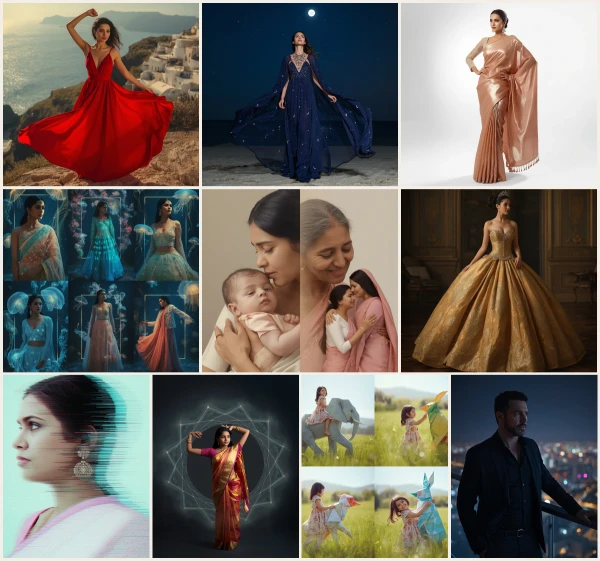
Creative 10 Beautiful Flowing Red Portrait Prompts for Women 2026
This Proxima Art pack — Viral 10 Leonardo AI Prompts for Women Indian Beauty Saree — Festive Glow & Heritage Details 2026 — groups 10 related Viral Le…
10 prompts
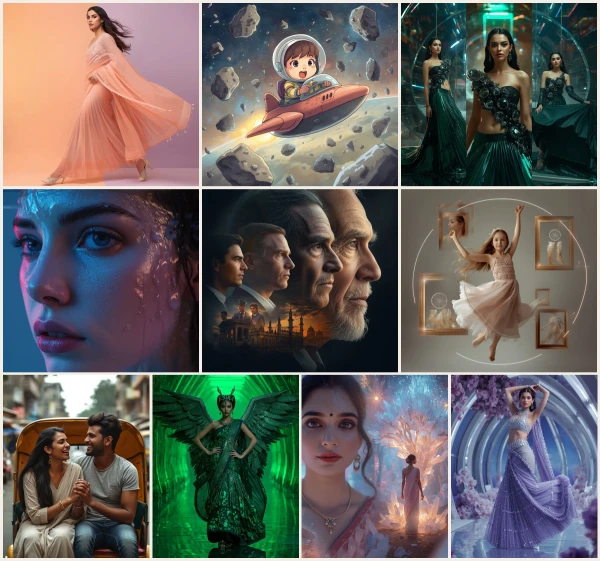
Exclusive 10 Beautiful Indian Pastel Peach AI Prompts for Women 2026
Scroll-stopping Fresh Midjourney & Women Street Fashion Neon City Profile Pictures & WhatsApp DP frames need more than adjectives. Fresh 10 Midjou…
10 prompts
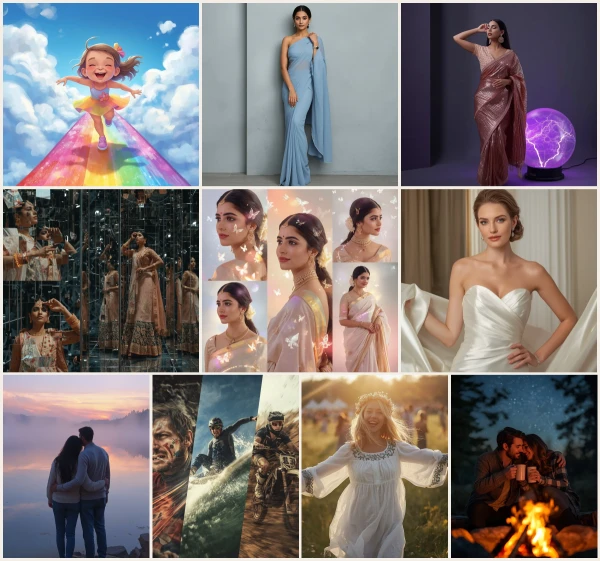
Ready-to-Copy 10 Cute Joyful Dance Rainbow AI Prompts for Girls 2026
Proxima Art editors built Ready-to-Copy 10 Cute Joyful Dance Rainbow AI Prompts for Girls 2026 so you spend less time…
10 prompts
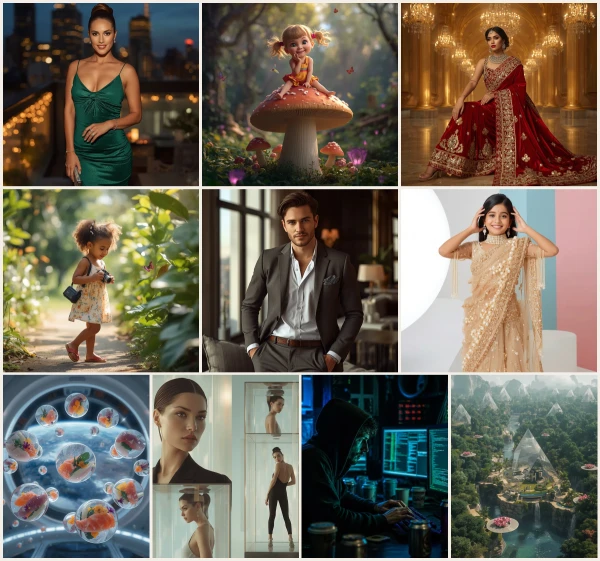
Stunning 10 Elegant City Soiree Image Prompts for Girls 2026
Looking for ready-to-copy Creator-Approved Copy-Paste Women Luxury Car Lifestyle — Neon City Lights & Bold Portrait Ideas prompts that still look orig…
10 prompts
Fresh 10 Romantic Couple Sharing Serene Photo Prompts for Girls 2026
Proxima Art editors built Easy 10 Instagram AI Prompts for Women Festival Festive Looks — Golden Hour Portraits & Dreamy Outdoor Fashion 2026 so you s…
10 prompts